I created my first texture with Material Maker yesterday, and when I went to try it out in Godot today, I encountered this glitch.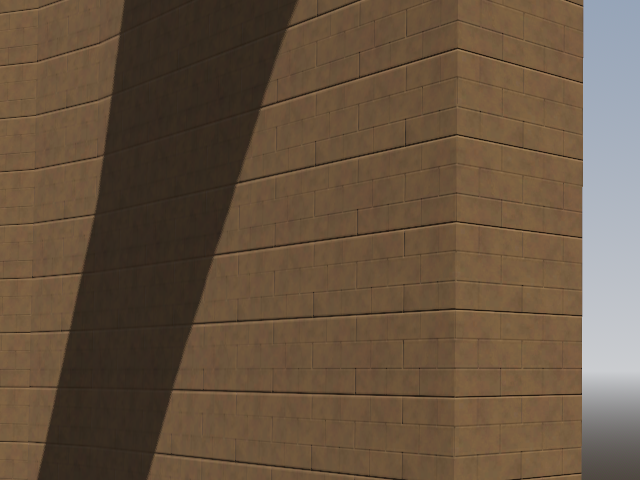
At six rows of blocks, every third row would have a double-width gap below it, which is caused by an extra wide line that’s clearly visible in the normal map. At first I thought this is an error in the normal map node, but then suspected it’s actually an issue with the black and white brick pattern at the very start of the node chain, which all the shadows are based on.
I first checked if the issue might go away if I increase texture size from 512×512 to 1024×1024, but that made no difference. I then tried to change the brick pattern from 5 rows to 6 and then to 10, which still had the same issue. But it did disappear complete at 4 rows, and on a quick check, also didn’t appear at 8 rows.
I believe this is because numbers like 512 and 1024 can not be evenly divided by 3, 5, 6, or 10, and so when the final texture files are being generated, some rows have to get an additional line of pixels to fill out the entire image. Unfortunately, Material Maker does this by adding an additional black row to the bottom of each row instead of a white line in the center, producing a very noticeable wider gap under that row instead of making the blocks impercivably taller. But powers of 2 like 512 and 1024 do divide evenly by other powers of 2 like 4 and 8, so no such error there.
So the error is caused by some decimal fractions being impossible to accurately convert into binary fractions.
Which means I ran into, diagnosed, and solved my first floating point error.