
One of the annoying things with many older games that have been updated to run on newer screen resolutions is that the static image UI often gets tiny and unreadable or doesn’t cover the entire screen as it’s supposed to.
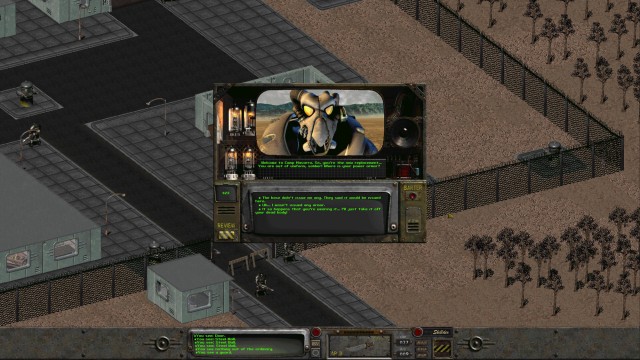
Fallout can do both!
Playing on the original resolution with the rest of the screen being filled black is usually my preferred solution. But sometimes the game doesn’t want to stretch out to make as much use of the screen as it could and be absolutely tiny, which can become a serious pain in the ass to fix. Scaling very low resolution 2D images by factors that aren’t whole numbers can also cause issues as image pixels have to be stretched unevenly to reach both sides of the screen. And even when all of that works out, playing with black bars on the sides of the game is fine for playing 30 year old games, but when making low-fidelity games now, we really should make an effort to deal with different screen sizes and dimensions.
My planned solution to this for Iridium Moon is to design all the UI in 640×360 resolution and upscale it by whole numbers to keep it from shrinking on the screen or get distorted pixels. This will allow the game to look identical in 720p (1280×720), 1080p (1920×1080), 2560×1440, 4K (3840×2160), and even 8K (7680×4320). Which going by the Steam user statistics covers the primarily display setting of 78% of players.
But that still leaves 22% of players for who this won’t display properly. It’s certainly one option to create alternative UI versions with different base resolutions, or to make a split UI that will stick to the top or bottom of the screen with variable space between them in the middle. A 640×400 resolution UI will upscale without distortion to 1280×800, 1920×1200, and 2560×1600, which covers another 8% of players.
But the remaining 14% of players are spread out over a wide range of different aspect ratios, which each are being used only by few players. Making alternative UI versions to fit all these resolutions is not really practical, and they are going to have to accept playing with borders on the sides of their nonstandard sized screens. But they don’t have to be just black bars. There are mods for Knights of the Old Republic that extend the edges of menu screen to fill the entire screen.
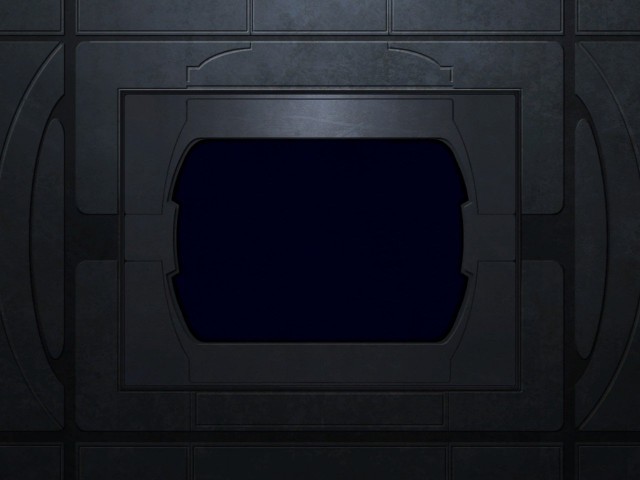
KotOR Extended Menu Screen
But how much additional border do you need to fill out all screens when the main game UI has to remain a full number multiple of 640×360? Well, I’ve done the math, and it is this much.
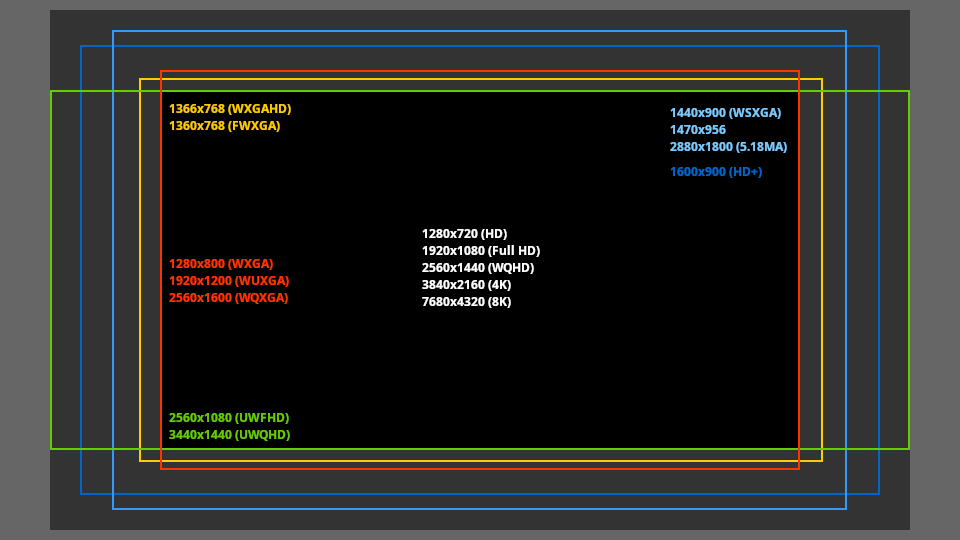
Click to embiggen.
This image covers almost all the resolutions listed in the Steam user statistics and covers the screens of 96% of players. All of which fit into an additional border of 860×520 pixels.
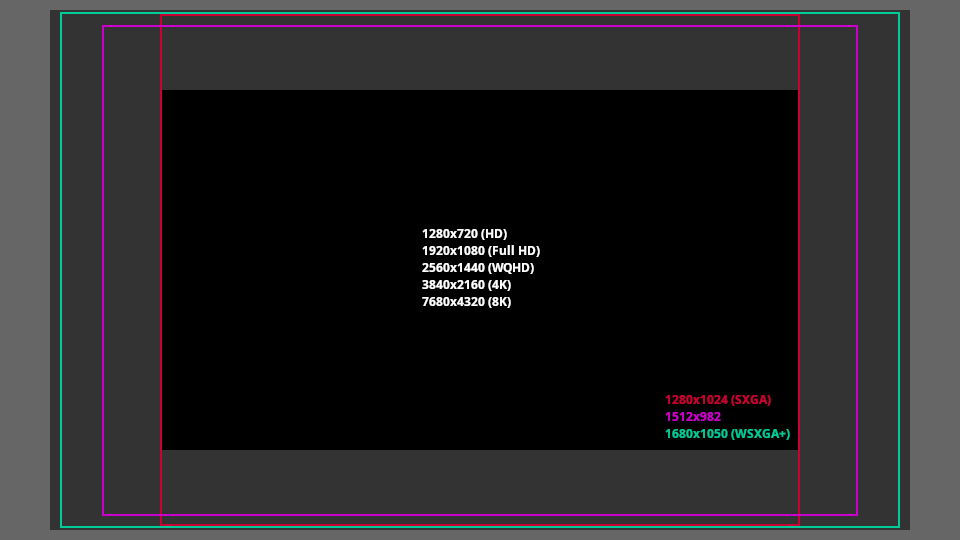
Click to embiggen.
These three unusual resolutions are already very rare, being used by only 0.2%, 0.3%, and 0.5% of players on Steam, and so I wouldn’t worry too much about getting the outermost corners lavishly detailed. Very few people would ever see it.
For very detailed borders it could look a bit odd if some specific detail like a face or switch gets clipped by the screen edges. So it might be helpful to know where the clipping lines will be when placing such elements on the border. You can download the .xcf file for GIMP to use as a template when arranging the layout for such borders. The resolution shown in green, yellow, and light blue are not exactly the same aspect ratio, but the differences are mostly just a few pixels that would be very difficult to notice if they get clipped by the screen edges.